
Before creating the Map Layout window for export, all the data layers must be projected into the geographic Lat/Long coordinate system first. See my previous post on how to do reprojection.
The steps to export out as KML are below, assuming all the data layers are already in geographic Lat/Long.
- Start up SAGA GIS. Load in one or more grid layers and display them in one map window.

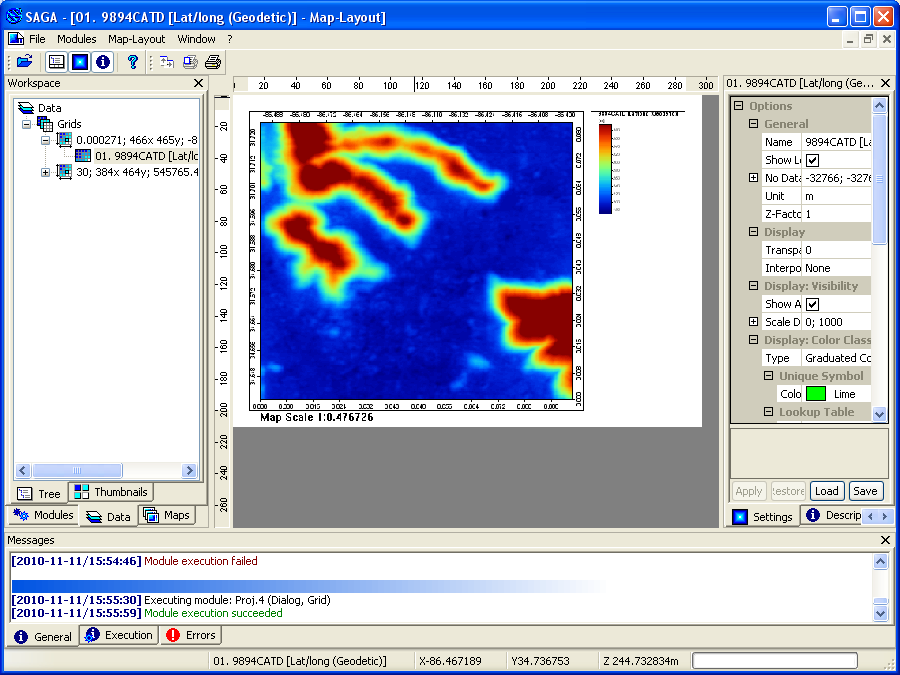
- Select Map | Show Print Layout.
The Map Layout window appears.
- In the Workspace pane, activate the Map tab.

- In the Maps tree, mouse right click on the map name.
A pop up menu appears.
- Choose Save as Image.
The Save As Image dialog box appears.
- Specify an output file name and type, e.g. 9894CATD and PNG. Click Save.
The Save Map as Image dialog box appears.
- Toggle Save KML file on. Click Okay.
The KML file is created.



The screenshot below shows how the KML file looks like in Google Earth.


3 comments:
Thank you for the useful information.
I have a question. The KML file prepared in this way is a non-transaprent image and when it is superimposed on google earth, one cannot see what lies on google earth behind the KML file. But when we make KML file in QGIS, it is possible to see what lies behind the KML file. Is it possible to make such KML file in SAGA which allows us to see what lies behind the KML file on the google earth?
Hi Vikram, you don't have to set the image opacity in Saga-gis; you simply open it in Google Earth, select that kml file layer, then adjust the transparency to your liking.
rg
Thanks! Is there a way to do this in Qgis as well? I'm using Qgis 3.4
Post a Comment